
Import
Bring in a public article or start with photos from your Mac.
The Pinterest workspace for Mac
Import a public article or bring your own photos. Design a Pin, review the exact board and time, and send it to Zernio when you’re ready.
Unlimited local template Pins. No AI credits needed.
Apple Silicon · macOS 13 or later
Bring in a public article or start with photos from your Mac.
Compose single-image Pins or collages and review every detail before export.
Connect your Pinterest boards through Zernio and choose when each Pin goes live.
Create without an AI charge
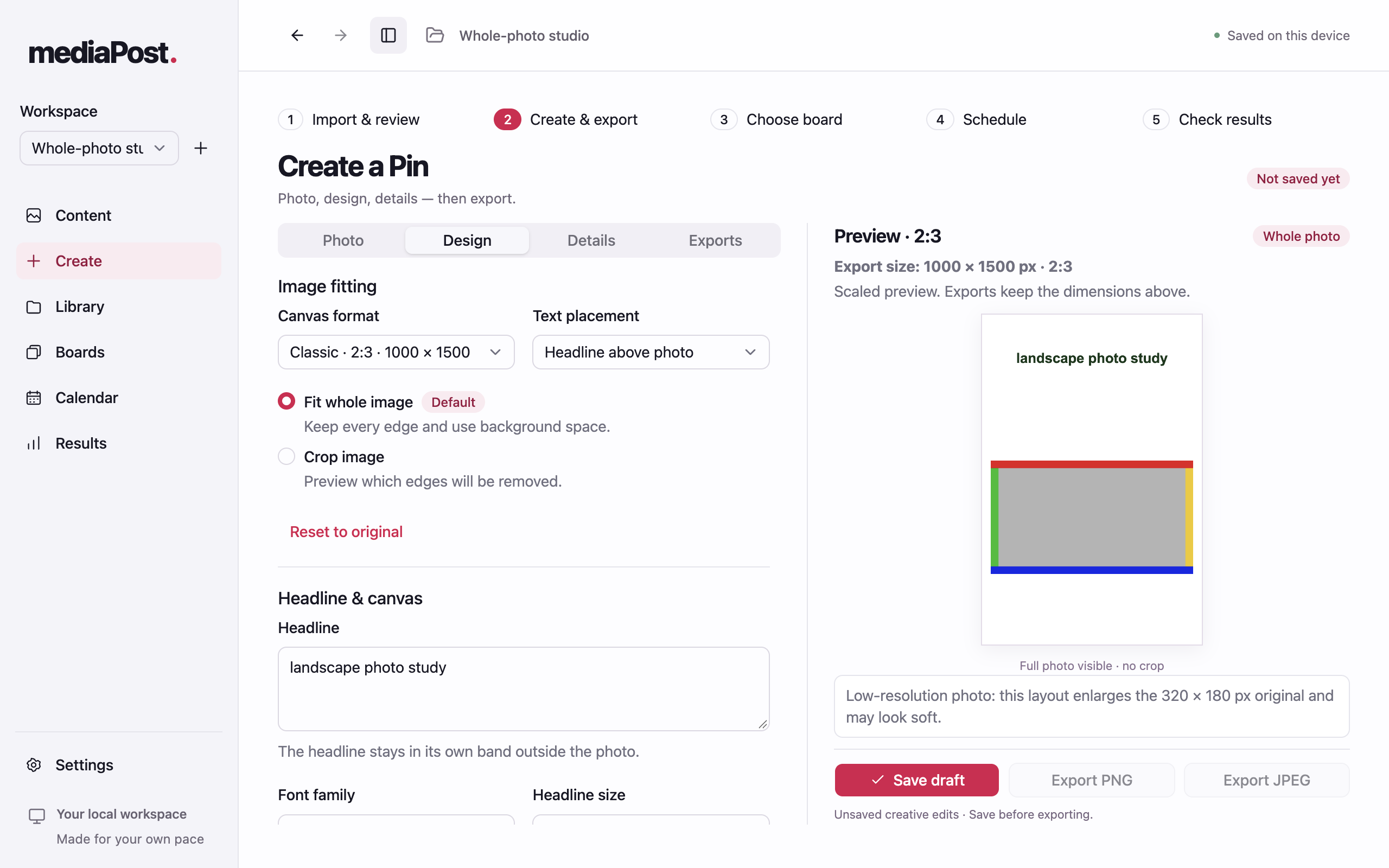
With app access, make Pins locally from an article or your own photos. Pick a layout, edit the headline, and preview before export.
Explore the design tutorialGrid and collage layouts support up to eight photos; stacks support up to four. The available layouts depend on photo count.
Inside the desktop app
Review your source, try out a design, and decide exactly what goes to Pinterest.
Follow the step-by-step tutorialSources
Paste a public article URL, review the extracted text and images, and choose what to keep. You can also add photos from your Mac and write the Pin’s headline, title, and description yourself.
Creation
Choose a local template, keep the whole photo in view or crop it, and compose a collage with up to eight photos. Save drafts and export PNG or JPEG. With a supported AI provider connected, you can also request copy suggestions or generate images before you review and apply them.
Publishing
Connect Zernio with your own key, choose a Pinterest board, and review the exact image and schedule before sending. The calendar keeps upcoming Pins in view, and eligible scheduled posts can be rescheduled or canceled.
Insights
Check whether a Pin was accepted, published, or needs attention. Review per-Pin impressions, saves, and clicks when Zernio makes those metrics available.
Desktop app
When the installer is ready, download the app and sign in with your account to get started.
The macOS installer is currently unavailable.
Apple Silicon · macOS 13 or later
Windows is planned.
Planned introductory offer
One payment for access while the product is offered.
$50USD · one-time
Checkout for the lifetime offer is coming soon. Future purchases may have a different price.
Optional AI and Zernio usage may be billed separately by those providers.
Manage an existing accountYes. With access to the app, import an article you’re allowed to use, select a photo, and make Pins with local templates without an AI charge. Publishing is subject to your Zernio account limits.
A three-day trial is being explored. Check this page for availability and trial terms.
Template Pins don’t need an AI key. For optional text suggestions, connect a supported AI API provider or local Ollama; image generation and editing use OpenRouter. To schedule, connect Pinterest through Zernio and add your key. Provider charges and limits are separate. Direct Codex or Claude subscription sign-in isn’t available in the app yet.
Yes. Upload photos from your computer or pick images you’re allowed to use from an imported article. Combine up to eight photos into one collage Pin and export a PNG or JPEG. Follow the design tutorial for layout and crop controls.
A schedule accepted by Zernio can run while the app is closed. A local plan still needs to be submitted. Use Calendar and Analytics to check the provider’s status.
Original photos, drafts, and exports stay on your Mac. Desktop Settings saves provider keys using the operating system’s encrypted storage. When you use an online feature, the app sends the data needed for that request to the relevant provider.
The proposed refund request window is 30 days from purchase. See the draft refund policy for the request process.
Sign in and use the feedback form, or open Settings → Feedback in the desktop app. For purchase and billing questions, visit Paddle buyer support.
Windows is planned. The desktop app is built with Electron, which supports Windows. Today’s desktop build is for Apple Silicon Macs running macOS 13 or later. The Windows installer and desktop workflows still need to be built and tested.